
How to Vet Flutter Developers Like a Pro: 15-Point Checklist + Interview Questions That Actually Work
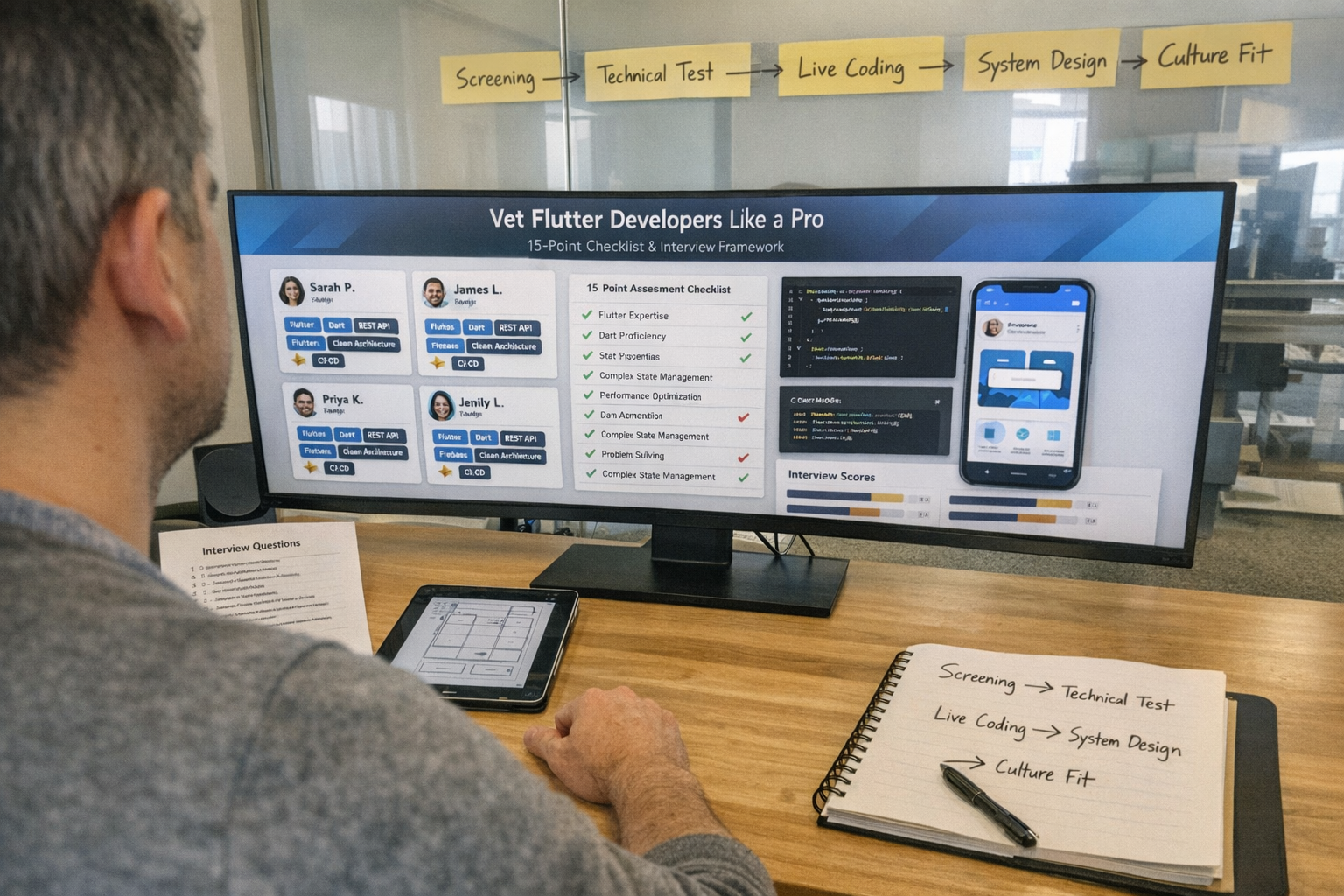
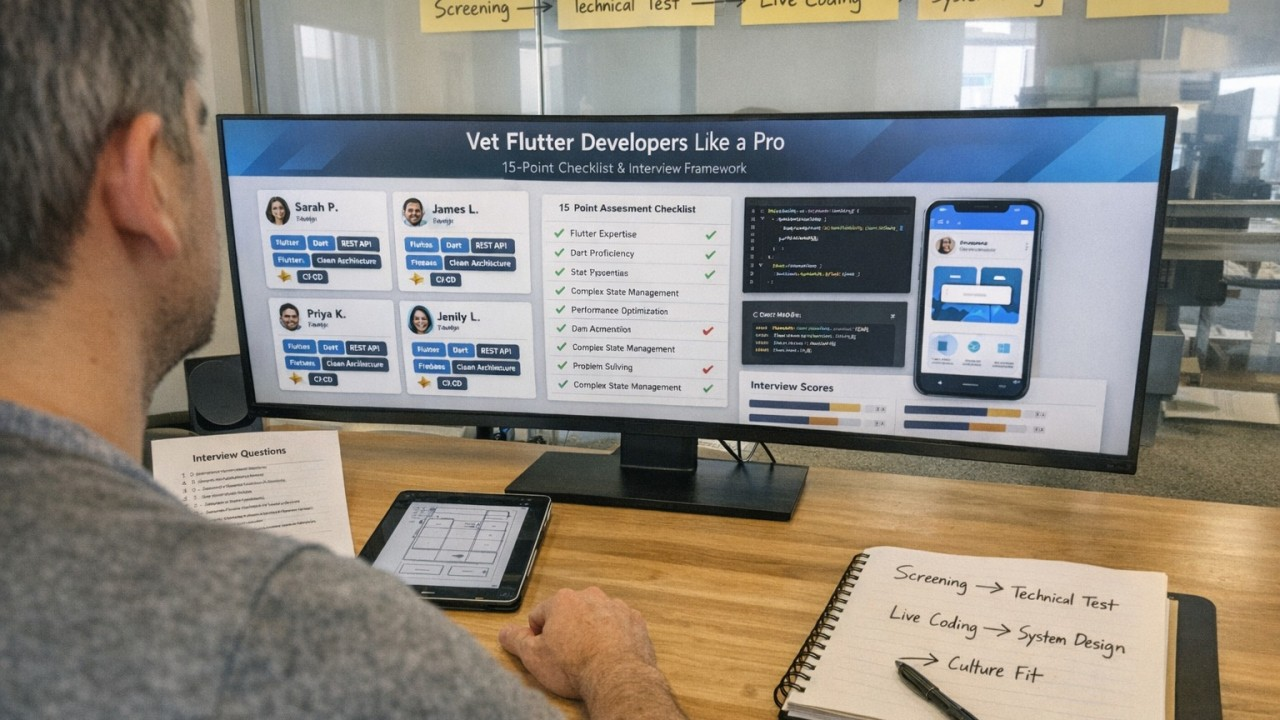
TL;DR: Key Takeaways
- A bad hire can cost 30–200% of their annual salary proper vetting is non-negotiable (SHRM, 2024)
- Use our 15-point checklist covering technical skills, soft skills, and experience indicators
- 20 interview questions included with expected answers and red flags
- Three assessment options: take-home projects, live coding, or code review exercises
- Certifications matter less than portfolio focus on demonstrable work
- Pre-vetted developers from specialized agencies save 40+ hours of screening time
Introduction: The True Cost of a Bad Hire
Here’s a statistic that should keep every hiring manager up at night:
80% of employee turnover is attributed to bad hiring decisions. — SHRM, 2024
And the numbers get worse when you look closer. According to a CareerBuilder survey, 60% of bad hires negatively affect team performance, and organizations without standardized interview processes are five times more likely to make a bad hire.
When it comes to Flutter developers specifically, the stakes are compounded. A bad hire doesn’t just waste salary the ripple effects are devastating:
- Product delays: 3–6 months of lost momentum
- Technical debt: Code that costs 3× more to fix later
- Team morale damage: Good developers leave when forced to carry dead weight
- App quality compromise: Bugs, crashes, and poor UX that your users will punish you for
- Total cost: 40,000–150,000+ when you factor in salary, onboarding, lost productivity, technical debt cleanup, and re-recruitment (IDELSoft, 2024)
The solution? Rigorous, structured vetting before you commit.
This guide gives you everything you need to evaluate Flutter developers like a seasoned technical recruiter even if you’re not technical yourself. Whether you’re a startup founder building your first app or a CTO scaling a mobile team, this checklist will save you thousands of dollars and months of wasted time.
💡 Pro Tip: If you’d rather skip the 40–60 hours of screening and work with pre-vetted Flutter developers who’ve already passed a rigorous 6-stage evaluation, that’s an option too more on that in Section 7.
The 15-Point Vetting Checklist
Print this out. Bookmark it. Use it for every Flutter developer you evaluate.
This checklist distills what top software development companies look for when vetting Flutter talent. Score each candidate out of 15 anything below 10 is a red flag.
Technical Skills (8 Points)
1. Dart Language Proficiency What to assess: Type system mastery, null safety (Dart 2.12+), async/await patterns, Dart 3.x features (pattern matching, records, sealed classes), OOP principles, and generics.
Why it matters: Dart is the foundation. A developer who doesn’t understand null safety in 2026 is writing legacy code from day one.
2. State Management Expertise What to assess: Deep knowledge of Riverpod (the modern standard for most new projects due to compile-time safety and BuildContext independence), Bloc/Cubit (the enterprise standard for complex apps with strict audit trails), Provider (for simpler apps), or GetX. Most critically understanding of when to use each.
Why it matters: State management is the architectural backbone of any Flutter app. The wrong choice compounds into months of refactoring. In 2026, Riverpod is the recommended choice for most new projects, while Bloc remains the gold standard for enterprise and regulated industries.
3. REST API & GraphQL Integration What to assess: HTTP client implementation (Dio, http package), error handling strategies, authentication flows (OAuth 2.0, JWT), response parsing with serialization (json_serializable, freezed), and retry logic.
4. Firebase & Backend Integration What to assess: Authentication (email, social, phone), Cloud Firestore (real-time data, security rules), Cloud Functions, Push Notifications (FCM), Analytics, Crashlytics, and remote config.
5. CI/CD Pipeline Knowledge What to assess: GitHub Actions, Codemagic, Fastlane, automated testing in pipelines, code signing, deployment automation, and release management.
6. Testing Proficiency What to assess: Unit testing, widget testing, integration testing, mocking (mockito, mocktail), golden tests for UI regression, CI-integrated test coverage, and the testing pyramid philosophy.
7. Platform-Specific Code What to assess: Method channels for native iOS/Android code, platform-aware UI, handling platform-specific behaviors (permissions, file system), and familiarity with native build systems (Xcode, Gradle).
8. Performance Optimization What to assess: Widget rebuild optimization (const constructors, RepaintBoundary), ListView.builder for large lists, image caching strategies, memory leak prevention, and proficiency with Flutter DevTools for profiling.
Why it matters: Since Flutter 3.41 (February 2026) shipped the matured Impeller rendering engine, developers should understand the new rendering pipeline and how to profile performance with it. A developer who can’t use DevTools is guessing, not engineering.
Soft Skills (4 Points)
9. English Communication What to assess: Clear written communication in Slack/email, ability to explain technical concepts to non-technical stakeholders, professional meeting etiquette, and documentation quality.
Why it matters: PMI research shows that 57% of all project failures are directly attributable to communication breakdowns. Technical skill means nothing if a developer can’t articulate blockers, trade-offs, or progress.
10. Problem-Solving Approach What to assess: Structured thinking, ability to break complex problems into smaller tasks, research methodology when encountering unknowns, and willingness to ask clarifying questions.
11. Time Management & Estimation What to assess: Realistic estimation (do they pad for unknowns?), deadline awareness, proactive communication about blockers before deadlines pass, and sprint velocity consistency.
12. Documentation Habits What to assess: Meaningful code commenting (not over-commenting), README maintenance, API documentation, inline rationale for non-obvious decisions, and knowledge transfer readiness.
Experience Indicators (3 Points)
13. Published Apps Portfolio What to assess: Live apps on App Store/Google Play with real users and reviews. Apps should demonstrate complexity beyond tutorial projects.
14. GitHub Contributions What to assess: Active contribution history, code quality in public repos, open-source Flutter package contributions, pull request quality, and commit message discipline.
15. Relevant Industry Experience What to assess: Experience in your vertical (fintech, healthcare, e-commerce, SaaS), domain-specific requirements, compliance knowledge (HIPAA, PCI-DSS, GDPR), and understanding of industry-specific user expectations.
Resume & Portfolio Red Flags vs. Green Flags
Before you invest hours in interviews, a 10-minute resume and portfolio scan can eliminate 60% of unsuitable candidates.
🟢 Green Flags; Move to Interview
🔴 Red Flags; Proceed with Caution

📌 Related Reading: For a deep dive into what Flutter developers should cost by region and experience level, see our comprehensive guide: Flutter Developer Rates in 2026: Complete Cost Breakdown.
20 Interview Questions with Expected Answers
These questions are battle-tested by hiring managers at leading development agencies. Use them verbatim or adapt to your context.
💻 Technical Questions (12)
Q1: “Explain Flutter’s widget tree and how rebuilds work.”
✅ Good Answer: “Flutter uses a three-tree architecture: the Widget tree (configuration), Element tree (lifecycle), and RenderObject tree (layout/painting). When state changes, Flutter rebuilds affected widgets using a diffing algorithm on the Element tree. StatelessWidget rebuilds when its parent rebuilds. StatefulWidget triggers rebuilds via setState(), which marks the element as dirty. Flutter then efficiently walks the tree, reusing Elements where the widget type and key haven't changed."
🚩 Red Flag: Can’t explain the difference between StatelessWidget and StatefulWidget, or doesn't mention the Element tree.
Q2: “Compare Bloc, Riverpod, and Provider. When would you use each?”
✅ Good Answer: “In 2026, Riverpod is my default recommendation for most new projects because of its compile-time safety, independence from BuildContext, and excellent async handling with AsyncNotifier. Bloc is ideal for enterprise/regulated apps where you need strict event-state audit trails, predictable transitions, and the enforcement of a unidirectional data flow. Provider is suitable for simpler apps or as a stepping stone, but it's effectively being succeeded by Riverpod. GetX is fast for prototyping but lacks the architectural rigor needed for maintainable production apps."
🚩 Red Flag: Only knows one solution, can’t articulate trade-offs, or recommends GetX for production apps without caveats.
Q3: “How do you handle API errors and offline scenarios?”
✅ Good Answer: “I use a layered approach. At the network layer: Result or Either types to wrap success/failure. For offline: local caching with Hive, SQLite, or Isar, with a sync queue that processes when connectivity returns. I use connectivity_plus for monitoring, implement retry logic with exponential backoff, and design the UI to gracefully degrade showing cached data with a stale indicator rather than an error screen."
🚩 Red Flag: Only mentions try-catch, doesn’t discuss UX during offline state, or assumes the app always has connectivity.
Q4: “Describe your testing strategy for a Flutter app.”
✅ Good Answer: “I follow the testing pyramid: many unit tests for business logic and data layers, widget tests for UI components, and fewer integration tests for critical user flows. I aim for 70–80% coverage on business logic, use mockito or mocktail for mocking dependencies, golden_toolkit for UI regression testing, and integrate tests into CI so they run on every PR. I also write edge-case tests for error states, empty states, and boundary conditions."
🚩 Red Flag: “I don’t write tests” or “QA handles testing”. These are elimination-level responses.
Q5: “How would you optimize a Flutter app with performance issues?”
✅ Good Answer: “Always profile first, never guess. I start with Flutter DevTools to identify the bottleneck is it the build phase, layout, paint, or raster thread? Common fixes include: using const constructors to prevent unnecessary rebuilds, ListView.builder instead of ListView, wrapping expensive subtrees with RepaintBoundary, caching images with CachedNetworkImage, avoiding expensive operations in build(), and using compute() for heavy computations off the main isolate."
🚩 Red Flag: Jumps to solutions without mentioning profiling first. Optimization without measurement is guessing.
Q6: “Explain null safety in Dart and how it affects your code.”
✅ Good Answer: “Since Dart 2.12, types are non-nullable by default. You use ? for nullable types, null-aware operators (?., ??, ??=), late for deferred initialization, and the ! operator when you can guarantee non-null. It catches null reference errors at compile time rather than runtime, which dramatically reduces NullPointerException-class bugs. In Dart 3.x, pattern matching with sealed classes takes this further by enabling exhaustive case handling."
🚩 Red Flag: Unfamiliar with null safety, writes pre-null-safety code, or overuses the ! (bang) operator.
Q7: “How do you handle navigation in complex apps?”
✅ Good Answer: Discusses go_router (the standard for most projects in 2026), deep linking, route guards for authentication, nested navigation, and web URL support. Mentions Navigator 2.0's declarative model and when imperative navigation is still appropriate.
🚩 Red Flag: Only uses Navigator 1.0 push/pop, unaware of go_router.
Q8: “What approaches do you use for local data storage?”
✅ Good Answer: Differentiates use cases: SharedPreferences for simple key-value, Hive or Isar for structured NoSQL, SQLite (via drift or sqflite) for relational data, flutter_secure_storage for sensitive data (tokens, keys). Discusses data migration strategies.
🚩 Red Flag: Uses SharedPreferences for everything, or stores sensitive data insecurely.
Q9: “How do you implement secure authentication?”
✅ Good Answer: Covers token storage in secure storage (not SharedPreferences), OAuth 2.0 with PKCE flow, refresh token rotation, biometric authentication, certificate pinning, and session management.
🚩 Red Flag: Stores tokens in plain text or doesn’t mention PKCE for OAuth flows.
Q10: “Describe your CI/CD setup for Flutter projects.”
✅ Good Answer: GitHub Actions or Codemagic for automated builds, running tests on every PR, code signing automation, Fastlane for deployment, environment-based builds (dev/staging/prod), and automated release notes.
🚩 Red Flag: Deploys manually, no CI pipeline experience.
Q11: “What app architecture do you prefer and why?”
✅ Good Answer: Advocates for Clean Architecture with clear separation into data, domain, and presentation layers. Uses dependency injection (get_it or Riverpod's built-in DI). Explains the testing and maintainability benefits. For smaller projects, may use a simplified feature-based structure.
🚩 Red Flag: No architecture all logic in widgets, or changes architecture with every project.
Q12: “What Flutter 3.x features are you most excited about?”
✅ Good Answer (2026): Mentions Impeller (the rendering engine that replaced Skia on iOS and is default for Android API 29+), Dart 3.x patterns (pattern matching, sealed classes, records), Material 3 theming, stateful hot reload for web, the GenUI SDK for AI-driven interfaces, and support for embedded devices.
🚩 Red Flag: Can’t name any feature from the last 12 months indicates they’ve stopped learning.
🧠 Behavioral Questions (8)

🎯 Scoring Tip: For behavioral questions, use the STAR method (Situation, Task, Action, Result) to evaluate whether answers are specific and genuine versus rehearsed and generic.
Practical Assessment Options
Interviews test knowledge. Assessments test capability. Use at least one of these three options for every serious candidate.
Option A: Take-Home Project (Recommended)
Best For: Mid to senior developers, assessing architecture and code quality Time Limit: 4–6 hours (respect their time always pay for this) Deadline: 3–5 days to complete on their own schedule
Sample Project Brief:
Build a news reader app using a public API (e.g., NewsAPI). Include: article listing with pull-to-refresh, article detail view, favorites functionality (persisted locally), proper error handling, loading states, and at least 3 unit tests. Use any state management solution and explain your choice in the README.

⚠️ Important: Always pay for assessment work. Unpaid take-home projects signal that you don’t respect a developer’s time and the best candidates will walk away.
Option B: Live Coding Session
Best For: Junior developers, real-time problem-solving assessment Format: 45–60 minutes, screen share, 2–3 problems of increasing difficulty Environment: Let them use their own IDE no whiteboard coding
Sample Problem Progression:
- Warm-up (10 min): Build a simple counter with Provider/Riverpod
- Mid-level (20 min): Fetch and display data from a REST API with loading/error states
- Advanced (20 min): Implement a search feature with debouncing and pagination
What to Evaluate: Not just the solution, but how they think. Do they ask clarifying questions? Do they test as they go? Do they handle edge cases?
Option C: Code Review Exercise
Best For: Senior developers, assessing architectural thinking and code quality judgment Format: Provide a Flutter file (~200 lines) with 8–12 intentional issues
Issues to Embed:
- Business logic in widgets
- Missing error handling
- Inefficient rebuilds
- Security vulnerabilities (tokens in SharedPreferences)
- Memory leaks (uncancelled streams)
- Missing null safety handling
- Poor naming conventions
- Lack of tests
Evaluation: Do they catch the subtle issues (memory leak, security) or just the obvious ones (naming, formatting)?
Certifications That Matter (And Those That Don’t)
Certifications Worth Noting

What Matters Exponentially More Than Certifications
- Published apps with real users and real reviews
- GitHub portfolio with quality, readable code
- Open-source contributions to the Flutter ecosystem (packages, plugins, bug fixes)
- Technical blog posts or conference talks (demonstrates deep understanding)
- Verifiable client references and recommendations
Bottom Line: A developer with 3 published apps and an active GitHub beats a developer with 10 certifications and no portfolio every single time. Certifications prove learning; portfolios prove doing.
Reference Check Best Practices
Never skip this step. References are your safety net against polished interview performers who underdeliver in practice.
Questions to Ask Previous Clients/Employers
- How would you rate their technical skills on a scale of 1–10?
- How did they handle deadlines and pressure?
- How was their communication frequency, clarity, and proactiveness?
- Were there any challenges working with them? How were those resolved?
- Would you hire them again? Why or why not? ← This is the most revealing question
- How did they handle feedback and criticism?
- Did they meet project requirements and timeline? If not, how did they manage expectations?
- How would you compare their work to other developers you’ve worked with?
💡 Pro Tip: Ask for references that the candidate doesn’t provide. Look at their LinkedIn recommendations, Upwork reviews, or Clutch profiles. Unsolicited feedback is always more honest than curated references.
Why Smart Companies Skip DIY Vetting
Here’s the uncomfortable truth: vetting developers properly takes 40–60 hours per hire. That’s an entire work week — or more — of your time, on a single candidate.
Here’s what professional Flutter development agencies do behind the scenes:


The math is simple: If your time is worth 100/hour,DIY vetting costs you $4,000–$6,000 per candidate before you’ve even hired anyone. And if 40% of those hires fail, the total cost compounds quickly.
Conclusion: Your Vetting Action Plan
Hiring the right Flutter developer can accelerate your product by months. Hiring the wrong one can set you back by years.
Here’s your step-by-step action plan:
The 6-Step Vetting Process
- Screen resumes for green flags and red flags (Section 2)
- Score against the 15-point checklist during evaluation (Section 1)
- Conduct technical interviews with our 20 questions (Section 3)
- Require practical assessment — take-home, live coding, or code review (Section 4)
- Check references — always, no exceptions (Section 6)
- Consider pre-vetted options to save time and reduce risk (Section 7)
Remember: Companies without standardized interview processes are 5× more likely to make a bad hire (SHRM, 2024). This checklist is your standardized process.
Skip the Vetting; Work with Pre-Vetted Flutter Developers
At Genie InfoTech, every Flutter developer on our team has passed a rigorous 6-stage vetting process so you don’t have to spend 40+ hours screening candidates yourself.
What You Get:

Take the Next Step:
FAQ: Vetting Flutter Developers
Q: How long should the vetting process take? A: For thorough DIY vetting, expect 40–60 hours total per candidate (resume review, interviews, assessments, references). You can reduce this to 2–3 hours by working with agencies that provide pre-vetted developers.
Q: What’s the minimum assessment I should do? A: At absolute minimum: review portfolio, conduct a 30-minute technical interview, and do one reference check. However, this minimal approach significantly increases your bad-hire risk. We recommend adding at least a take-home project.
Q: Should I pay for trial work? A: Yes, always. A paid 1–2 week trial is the gold standard for evaluating real-world fit. It shows respect for the developer’s time and gives you actual working evidence rather than interview performance.
Q: What if I’m not technical enough to evaluate candidates? A: Several options: hire a technical advisor for interview sessions (~200–200–500), use assessment platforms like HackerRank or TestGorilla for automated scoring, or work with specialized agencies that handle all technical vetting for you.
Q: How do I verify Flutter experience is real? A: Download and test their apps yourself. Check GitHub commit history (not just repos look at commit frequency and quality). Ask detailed, specific questions about projects they claim to have built. Contact references and ask about their actual contributions versus team efforts.
Q: What’s the biggest mistake companies make when hiring Flutter developers? A: Prioritizing hourly rate over quality. Developers charging 50% below market rates often produce code that costs 200% more to maintain in technical debt. The cheapest hire is almost never the best investment. Read more in our Flutter Developer Rates Guide.
Q: How important is state management knowledge? A: Critical. State management is the architectural backbone of any Flutter app. In 2026, a strong candidate should understand Riverpod (the modern standard), Bloc (the enterprise standard), and be able to articulate when each is appropriate. This single topic can differentiate a junior from a senior developer.
Comments
Read Next
10 Software Development Trends That Will Define 2026
AI writes 46% of code. Low-code hits $44.5 billion. Edge computing crosses $257 billion. Here are the trends reshaping how software gets built and what they mean for your next project.


The Rise of AI Agents in 2026: How Intelligent Automation Is Replacing Traditional Software
Artificial Intelligence is no longer just about chatbots and predictive analytics. In 2026, the biggest shift in the AI landscape is the rise of AI agents — autonomous systems capable of planning, reasoning, and executing complex tasks with minimal human input.